
Make WhatsApp stickers from your photos
StickerStudio makes the stickers; WhatsApp needs one extra step to add them. Here is how to get a cartoon sticker of yourself from a photo into a WhatsApp chat, either one at a time or as a full pack.

The photo
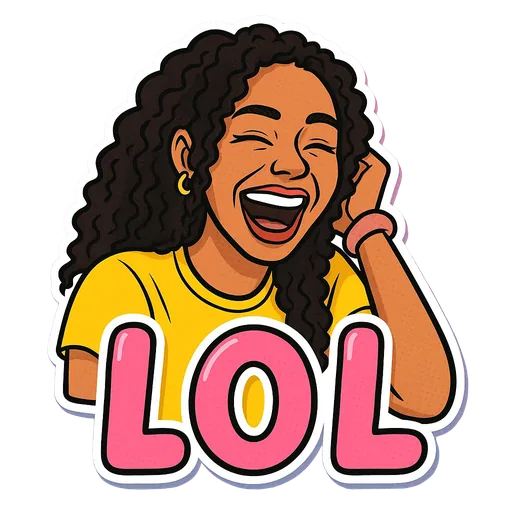
One sticker made from it
Step by step
- 1
Make the stickers
Upload a photo of yourself to StickerStudio and pick the expressions you want, such as LOL, Bet or Send Help.
- 2
Save them to your phone
Open My Stickers on your phone and download each PNG. On iPhone, Safari puts downloads in the Files app; open each one and use Share, then Save Image, so it is in Photos where WhatsApp can find it.
- 3
Quick route: create a sticker inside WhatsApp
Recent versions of WhatsApp have a Create option in the sticker tray of a chat. Choose the PNG from your gallery and WhatsApp turns it into a sticker you can send and star as a favourite. If you do not see Create, update WhatsApp or use the pack route below.
- 4
Pack route: use a sticker-pack app
Install a sticker-pack maker from the App Store or Google Play, start a new pack, import your PNGs, then tap Add to WhatsApp. The app converts the images to the format WhatsApp needs.
WhatsApp sticker requirements
Sticker-pack apps take care of these for you, but they explain why you cannot just drop any image into WhatsApp:
- Each sticker is a 512 × 512 pixel WebP image with a transparent background.
- Static stickers must be under 100 KB each.
- A pack needs at least 3 stickers and can hold up to 30.
- Each pack also has a small 96 × 96 tray icon.
Tips for a better result
- Make at least three stickers if you want a proper pack. WhatsApp will not import a pack with fewer.
- Use one of your stickers as the tray icon so the pack is easy to find.
- Do not send the PNG as a normal photo. WhatsApp compresses photos and the transparent background may not survive.
- StickerStudio stickers already have a transparent background and white border, so you can skip the cut-out tools in sticker apps.
What StickerStudio won't do
- StickerStudio does not install stickers into WhatsApp for you. You add them with WhatsApp or a sticker-pack app.
- Animated stickers are not supported. Every sticker is a still image.
- Captions come from the built-in list, so you cannot write your own WhatsApp phrase.
Other ways to do it
If you only want the real photo as a sticker, WhatsApp can do that itself: use Create in the sticker tray and it will cut out the subject for you, free. Sticker-pack apps also have their own cut-out tools. StickerStudio is worth it when you want cartoon versions of yourself with expressions and captions, rather than a cut-out of a photo you already have.
How StickerStudio makes the sticker
- 1
Upload one photo
A clear photo of one person, face visible. JPG, PNG or WebP, up to 10 MB. It is kept in your private library so you can make more stickers from it later.
- 2
Pick expressions
Choose from 60+ captioned expressions such as LOL, WTF, Monday, Heart Eyes and Send Help, up to 10 at a time.
- 3
The AI draws each sticker
An image model redraws the person as a cartoon in that pose, adds the caption and a white die-cut border, and removes the background. It runs in the background, so you can leave the page.
- 4
Download the PNG
Finished stickers appear in My Stickers as transparent PNGs with no watermark. Download them as often as you like.
Questions
Does this work on both iPhone and Android?
Yes. StickerStudio runs in the browser on any phone, and both WhatsApp and the sticker-pack apps exist on iPhone and Android.
Can my friends use my stickers?
When you send a sticker in a chat, the other person can tap it and save it to their favourites.
Why does WhatsApp say my pack needs more stickers?
WhatsApp requires at least 3 stickers per pack. Make two more, or use the in-app Create option for single stickers.
What does it cost?
The first sticker is free. Three stickers, the minimum for a WhatsApp pack, cost $2.99 in the smallest pack.
Try it with your photo
Sign up, upload a photo and pick an expression. Your first sticker is free.
Last reviewed 2026-11-03. Questions or corrections: contact@stickerstudio.art.