Make reaction stickers of yourself
Reaction stickers are the ones you send instead of typing: a laugh, an eye-roll, a yes. StickerStudio has more than 60 captioned expressions, each drawn with your face from one photo, so your replies look like you.

The photo
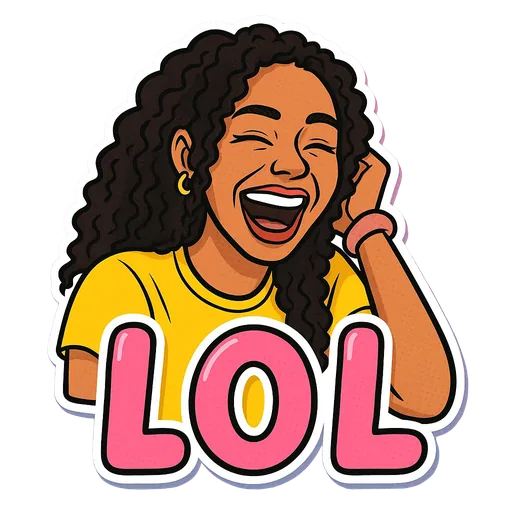
One sticker made from it
Step by step
- 1
Think about what you actually reply
Look through a busy group chat and note what you say most: agreeing, laughing, being tired, being shocked. Those are your first stickers.
- 2
Pick matching captions
Use the groups below as a starting point and choose up to 10 per batch.
- 3
Generate from one photo
Using one photo for the whole set keeps you looking consistent across every reaction.
Captions grouped by chat moment
- Agreeing: Bet, Facts, Say Less, No Cap.
- Saying no: Respectfully No, Bestie No.
- Laughing or confused: LOL, Derp, WTF.
- Shocked: No Way, Plot Twist, Mind Blown, Tea!
- Tired: Monday, Drained, Coffee First, Can't Even, Send Help.
- Hyping someone up: Let's Go, Slay, Fire, Level Up, Main Character.
- Affection: Heart Eyes, Smitten, Adore You, Crushing.
- Food: Hangry, Snack Attack, Foodie, Treat Yourself.
- Social: Awkward, Antisocial, Touch Grass, Vibe Check.
Why personal reaction stickers land better
Generic reaction GIFs are everywhere. A sticker of the actual person replying stands out in a chat and makes even a one-word answer feel personal.
Tips for a better result
- Start with five to eight stickers you will use daily, then add situational ones later.
- Cover both yes and no. Most sets end up full of positive reactions and nothing to decline with.
- Make a matching set for a close friend or partner so you can reply to each other in kind.
What StickerStudio won't do
- Captions come from the built-in list. You cannot write your own text yet.
- One person per sticker, so no duo or couple reactions.
- Stickers are still images, not GIFs.
Other ways to do it
GIF keyboards (GIPHY, Tenor) are free and huge, but they show other people. Meme generators let you put any caption on a photo, though the result is a rectangle with your photo, not a cut-out cartoon. StickerStudio sits in between: fixed captions, but drawn as you.
How StickerStudio makes the sticker
- 1
Upload one photo
A clear photo of one person, face visible. JPG, PNG or WebP, up to 10 MB. It is kept in your private library so you can make more stickers from it later.
- 2
Pick expressions
Choose from 60+ captioned expressions such as LOL, WTF, Monday, Heart Eyes and Send Help, up to 10 at a time.
- 3
The AI draws each sticker
An image model redraws the person as a cartoon in that pose, adds the caption and a white die-cut border, and removes the background. It runs in the background, so you can leave the page.
- 4
Download the PNG
Finished stickers appear in My Stickers as transparent PNGs with no watermark. Download them as often as you like.
Questions
How many expressions are there?
More than 60 at the moment, and the list grows over time.
Can I request a caption?
Yes. Email contact@stickerstudio.art with the caption you want. We cannot promise to add it, but requests shape what comes next.
Try it with your photo
Sign up, upload a photo and pick an expression. Your first sticker is free.
Last reviewed 2026-11-03. Questions or corrections: contact@stickerstudio.art.