Make stickers of your friends for the group chat
A group chat where everyone has stickers of each other is more fun than any downloaded pack. StickerStudio works from any photo of one person, so you can make stickers of friends, a partner or family, as long as they are happy with it.

The photo
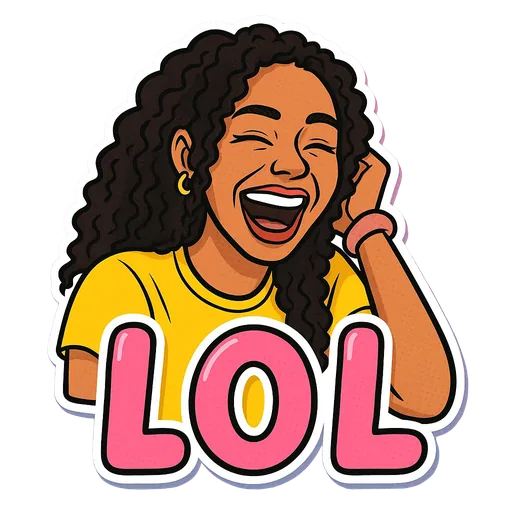
One sticker made from it
Step by step
- 1
Ask first
Check that each friend is fine with you making and sharing stickers of them. Most people are, but some would rather not.
- 2
Get one clear photo per person
Each sticker shows one person, so crop group photos down to one face, or ask friends for a selfie.
- 3
Pick expressions that fit each friend
The friend who is always late gets Monday or Send Help. The one who hypes everyone gets Let's Go or Slay.
- 4
Share them as a pack
Put everyone's stickers into one WhatsApp or Telegram pack and share it with the group.
Good uses
- A birthday surprise: a few stickers of the birthday person dropped in the chat on the day.
- A shared pack for a friend group, team or club.
- A matching set for you and your partner.
Keep it kind
Our Terms of Service do not allow offensive content, and stickers of someone else should be something they would laugh at too. If a friend asks you to remove theirs, delete it from your library and from any pack you shared.
Tips for a better result
- Selfies from the friend themselves work better than cropped group shots, which are usually small and soft.
- Make two or three per person to start. You can always add more later from the same saved photo.
- For a birthday, make the stickers a day early so they are ready in time.
What StickerStudio won't do
- One person per sticker, so no group or couple stickers in a single image.
- Each person needs their own photo and their own stickers, which means more credits for a big group.
- Do not upload photos of people who have not agreed to it.
Other ways to do it
Free sticker-pack apps can cut friends out of real photos, which is quick and costs nothing. StickerStudio turns them into cartoon versions with expressions and captions, which tends to be funnier and less awkward than a raw photo.
How StickerStudio makes the sticker
- 1
Upload one photo
A clear photo of one person, face visible. JPG, PNG or WebP, up to 10 MB. It is kept in your private library so you can make more stickers from it later.
- 2
Pick expressions
Choose from 60+ captioned expressions such as LOL, WTF, Monday, Heart Eyes and Send Help, up to 10 at a time.
- 3
The AI draws each sticker
An image model redraws the person as a cartoon in that pose, adds the caption and a white die-cut border, and removes the background. It runs in the background, so you can leave the page.
- 4
Download the PNG
Finished stickers appear in My Stickers as transparent PNGs with no watermark. Download them as often as you like.
Questions
Can I put two friends in one sticker?
No. Each sticker is drawn from a photo of one person. Make one for each friend and send them together.
How many credits do I need for a group?
Each sticker uses 10 credits. Two stickers each for five friends is 10 stickers, which the $7.99 pack covers.
Try it with your photo
Sign up, upload a photo and pick an expression. Your first sticker is free.
Last reviewed 2026-11-03. Questions or corrections: contact@stickerstudio.art.