Make Discord stickers of yourself
Discord servers can upload their own stickers, which makes a cartoon of you saying Bet, Say Less or Touch Grass a natural fit for a friend server. StickerStudio makes the artwork; you upload it in Server Settings.

The photo
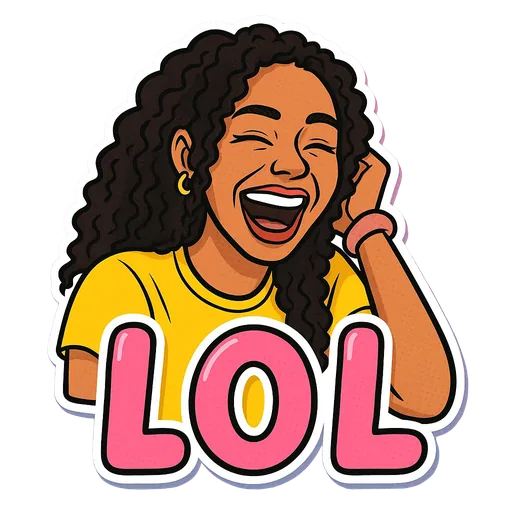
One sticker made from it
Step by step
- 1
Make and download the sticker
Create the sticker in StickerStudio and download the PNG from My Stickers.
- 2
Resize to 320 × 320
Discord stickers are 320 × 320 pixels and must be under 512 KB. Resize the PNG in any image editor and keep the transparent background.
- 3
Upload it to the server
Open Server Settings, then Stickers, then Upload Sticker. Give it a name and a related emoji, choose your PNG and save. You need permission to manage the server's expressions.
- 4
Use it
Open the sticker picker in any channel on that server and your sticker is there.
Discord sticker basics
- Static stickers are PNG files at 320 × 320 pixels, under 512 KB.
- Each server has a limited number of sticker slots, and boosting the server adds more.
- Server stickers can be used in that server. Nitro members can also use them elsewhere.
- Check the upload dialog for the current limits, since Discord adjusts them from time to time.
Tips for a better result
- Short captions such as LOL, WTF or Bet stay readable at 320 pixels. Longer ones like Understood The Assignment get small.
- Give each sticker a clear name and emoji so people can find it by searching.
- If you run out of slots, swap out stickers nobody uses rather than adding near-duplicates.
What StickerStudio won't do
- StickerStudio does not upload to Discord. You add the stickers in Server Settings.
- Animated stickers are not supported.
- Discord custom emoji are even smaller (128 px), so captioned stickers work better as stickers than as emoji.
Other ways to do it
For a quick server sticker from a real photo, any free background remover plus a resize will do. If your server has a pixel-art or meme theme, a hand-drawn emoji may suit it better. StickerStudio is the quick way to get cartoon reaction stickers of the actual people in the server.
How StickerStudio makes the sticker
- 1
Upload one photo
A clear photo of one person, face visible. JPG, PNG or WebP, up to 10 MB. It is kept in your private library so you can make more stickers from it later.
- 2
Pick expressions
Choose from 60+ captioned expressions such as LOL, WTF, Monday, Heart Eyes and Send Help, up to 10 at a time.
- 3
The AI draws each sticker
An image model redraws the person as a cartoon in that pose, adds the caption and a white die-cut border, and removes the background. It runs in the background, so you can leave the page.
- 4
Download the PNG
Finished stickers appear in My Stickers as transparent PNGs with no watermark. Download them as often as you like.
Questions
Why will Discord not accept my file?
Usually because it is larger than 320 × 320 or over 512 KB. Resize it and export as PNG.
Can I make stickers of my friends for the server?
Yes, as long as they are happy for you to use their photo. Each friend needs their own photo, because one sticker shows one person.
Try it with your photo
Sign up, upload a photo and pick an expression. Your first sticker is free.
Last reviewed 2026-11-03. Questions or corrections: contact@stickerstudio.art.