A Bitmoji alternative that starts from your photo
Bitmoji builds a cartoon of you from presets you choose: face shape, hair, eyes, outfit. StickerStudio works the other way round. It draws you from a real photo, so the likeness comes from your actual face. Both are useful, for different reasons.

The photo
One sticker made from it
Step by step
- 1
Upload a photo instead of building an avatar
There is no avatar editor. Upload one clear photo of yourself.
- 2
Pick expressions
Choose from more than 60 captioned expressions, similar to the reaction stickers you would send from Bitmoji.
- 3
Use the PNGs anywhere
You get image files rather than a keyboard, so you add them to WhatsApp, Telegram, iMessage or Discord with each app's sticker tools.
Side by side
- Likeness: Bitmoji is built from presets you pick; StickerStudio is drawn from your photo.
- Price: Bitmoji is free; StickerStudio gives one free sticker, then credit packs from $2.99 for 3.
- Library size: Bitmoji generates a large library of stickers automatically; StickerStudio has 60+ expressions you choose one by one.
- How you use them: Bitmoji has its own keyboard and Snapchat integration; StickerStudio gives you PNG files to add to any app.
- Editing: Bitmoji lets you change outfits and features any time; with StickerStudio you change the look by using a different photo.
Which to pick
Pick Bitmoji if you want something free with a very large sticker library and do not mind a generic, preset-based likeness. Pick StickerStudio if you want stickers that look like your actual face, or if you want stickers of a friend or partner from their photo.
Tips for a better result
- You can use both. Many people keep Bitmoji for volume and a handful of photo-based stickers for the replies they send most.
- Choose a photo where your hair and glasses look the way you usually do. That is what people recognise.
What StickerStudio won't do
- StickerStudio has no keyboard app and no Snapchat integration.
- It is not free after the first sticker.
- There is no avatar editor for changing outfits or features by hand.
Other ways to do it
Other free avatar options include Apple Memoji, Samsung AR Emoji and the avatar editors built into Instagram and Facebook. All of them build you from presets. For a sticker drawn from a real photo, StickerStudio is a direct option, or you can prompt a general image AI with a reference photo and remove the background yourself.
How StickerStudio makes the sticker
- 1
Upload one photo
A clear photo of one person, face visible. JPG, PNG or WebP, up to 10 MB. It is kept in your private library so you can make more stickers from it later.
- 2
Pick expressions
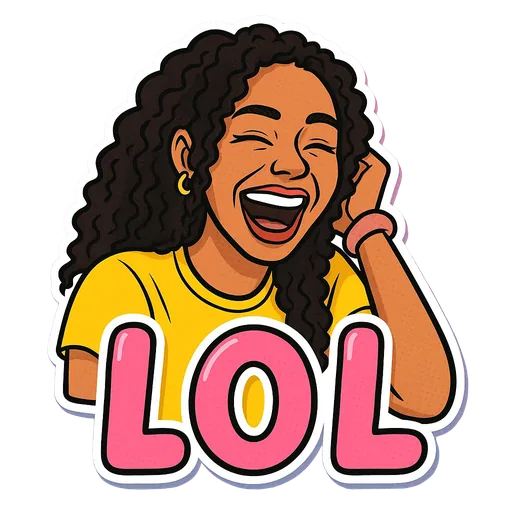
Choose from 60+ captioned expressions such as LOL, WTF, Monday, Heart Eyes and Send Help, up to 10 at a time.
- 3
The AI draws each sticker
An image model redraws the person as a cartoon in that pose, adds the caption and a white die-cut border, and removes the background. It runs in the background, so you can leave the page.
- 4
Download the PNG
Finished stickers appear in My Stickers as transparent PNGs with no watermark. Download them as often as you like.
Questions
Is StickerStudio connected to Bitmoji or Snap?
No. StickerStudio is an independent product. Bitmoji is a trademark of Snap Inc.
Can I import my Bitmoji?
No. StickerStudio works from a photo of a real person.
Try it with your photo
Sign up, upload a photo and pick an expression. Your first sticker is free.
Last reviewed 2026-11-03. Questions or corrections: contact@stickerstudio.art.