An AI sticker generator that starts from your photo
Most AI sticker generators ask you to describe a sticker in words, and the result is a made-up character. StickerStudio takes a photo of a real person instead and draws that person, so the sticker looks like you or whoever is in the photo.

The photo
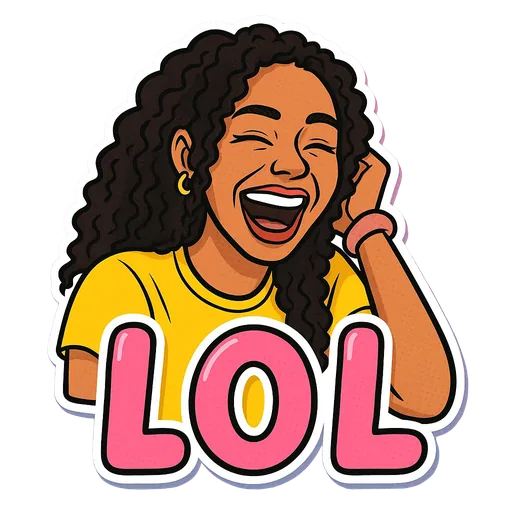
One sticker made from it
Step by step
- 1
Upload instead of typing a prompt
There is no prompt box. You upload one photo of one person.
- 2
Choose from preset expressions
Each expression is a tested pose and caption, such as Plot Twist or Coffee First, so you do not have to write a prompt that works.
- 3
Get the finished sticker file
The AI redraws the person in a cartoon style with the caption, and the background is removed. You download a transparent PNG.
Photo-based versus prompt-based
- Prompt-based generators: anything you can describe (animals, objects, fantasy characters), but the face is invented.
- Photo-based (StickerStudio): only people, only preset expressions, but the face is drawn from the real person.
- Prompt-based tools often leave you to remove the background. StickerStudio delivers a cut-out sticker with a white border.
What happens to your photo
Your photo is sent to an image model to generate the sticker and is saved in your private library so you can make more stickers from it later. You can remove it from your library at any time, and you can ask for your account data to be deleted from the data deletion page.
Tips for a better result
- If you want a sticker of an idea, such as a cat in sunglasses, use a prompt-based generator. If you want a sticker of a person, use a photo.
- The better the photo, the better the likeness. That matters more than which expression you pick.
What StickerStudio won't do
- You cannot type a custom prompt or custom caption.
- It only draws people, one per sticker.
- There is one cartoon art style.
Other ways to do it
General image tools such as ChatGPT, Gemini or Midjourney can make stickers from a prompt, and some accept a reference photo if you write the instructions yourself. That works but takes trial and error, plus a separate step to remove the background. StickerStudio packages that into a few taps for one specific job.
How StickerStudio makes the sticker
- 1
Upload one photo
A clear photo of one person, face visible. JPG, PNG or WebP, up to 10 MB. It is kept in your private library so you can make more stickers from it later.
- 2
Pick expressions
Choose from 60+ captioned expressions such as LOL, WTF, Monday, Heart Eyes and Send Help, up to 10 at a time.
- 3
The AI draws each sticker
An image model redraws the person as a cartoon in that pose, adds the caption and a white die-cut border, and removes the background. It runs in the background, so you can leave the page.
- 4
Download the PNG
Finished stickers appear in My Stickers as transparent PNGs with no watermark. Download them as often as you like.
Questions
Which AI model does StickerStudio use?
It uses an OpenAI image model to redraw your photo, with our own instructions for likeness, pose, caption and the die-cut border.
Is my photo used to train AI?
We do not use your photos to train AI models without your explicit consent.
Try it with your photo
Sign up, upload a photo and pick an expression. Your first sticker is free.
Last reviewed 2026-11-03. Questions or corrections: contact@stickerstudio.art.