
Put a custom sticker of yourself in Instagram Stories
A cartoon sticker of your own face with a caption like Monday, Slay or Touch Grass works well on top of a Story. StickerStudio gives you the sticker as a transparent PNG, and Instagram has two ways to place it.

The photo
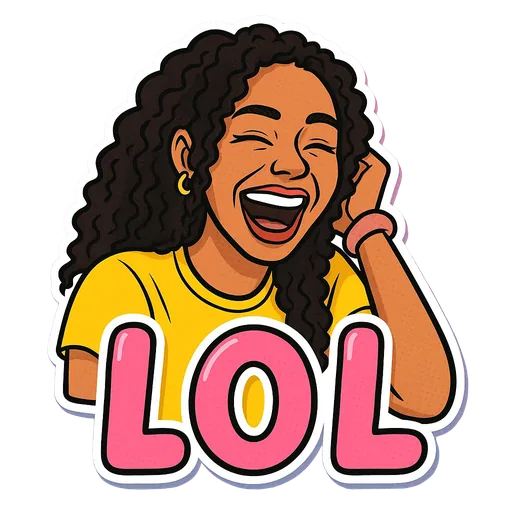
One sticker made from it
Step by step
- 1
Make and save the sticker
Create the sticker in StickerStudio, then download it from My Stickers and save it to your phone's photo library.
- 2
Option 1: the photo sticker
In the Story editor, open the sticker tray and choose the photo sticker (the gallery icon). Pick your PNG, then resize and place it.
- 3
Option 2: copy and paste (iPhone)
Open the sticker in Photos, tap Share, then Copy Photo. In the Story editor, tap to add text and paste, or wait for the Add sticker prompt. This keeps the transparent background.
- 4
Place and post
Pinch to resize, rotate it to fit your photo, and post the Story as normal.
Getting a clean edge
If the sticker shows up inside a square or a rounded frame, Instagram has treated it as a regular photo. Tap the sticker to cycle through the frame styles, or use the copy-and-paste method instead.
The white border on StickerStudio stickers keeps them readable on busy or dark photos without any extra editing.
Tips for a better result
- Choose captions that react to the photo underneath, such as Mind Blown over a view or Snack Attack over food.
- Keep the sticker away from the top and bottom edges, where Instagram places your name and the reply bar.
- Make a few stickers in one go so you have a set ready for recurring Story moments.
What StickerStudio won't do
- StickerStudio cannot add stickers to Instagram's own GIF sticker search. That library is run by GIPHY.
- Stickers are still images, not animated.
- Instagram changes its editor often, so the button names above may differ slightly on your version.
Other ways to do it
Instagram's Cutout sticker can turn any photo of you into a Story sticker for free. Avatar stickers from Instagram's built-in avatar editor are also free. StickerStudio is for an illustrated version of you with a caption, which neither of those gives you.
How StickerStudio makes the sticker
- 1
Upload one photo
A clear photo of one person, face visible. JPG, PNG or WebP, up to 10 MB. It is kept in your private library so you can make more stickers from it later.
- 2
Pick expressions
Choose from 60+ captioned expressions such as LOL, WTF, Monday, Heart Eyes and Send Help, up to 10 at a time.
- 3
The AI draws each sticker
An image model redraws the person as a cartoon in that pose, adds the caption and a white die-cut border, and removes the background. It runs in the background, so you can leave the page.
- 4
Download the PNG
Finished stickers appear in My Stickers as transparent PNGs with no watermark. Download them as often as you like.
Questions
Can I use these stickers in Instagram DMs?
You can send the PNG as an image in a DM. Instagram does not let you add your own images to the DM sticker picker.
Will the background stay transparent?
Usually, yes. If it appears in a box, tap the sticker to change its frame, or use copy and paste on iPhone.
Try it with your photo
Sign up, upload a photo and pick an expression. Your first sticker is free.
Last reviewed 2026-11-03. Questions or corrections: contact@stickerstudio.art.